

Best Midjourney alternatives: free and paid image generators
7 min read
Last updated November 20, 2026. How we pick: we compare the job each tool is for, from public product pages, not a paid ranking.
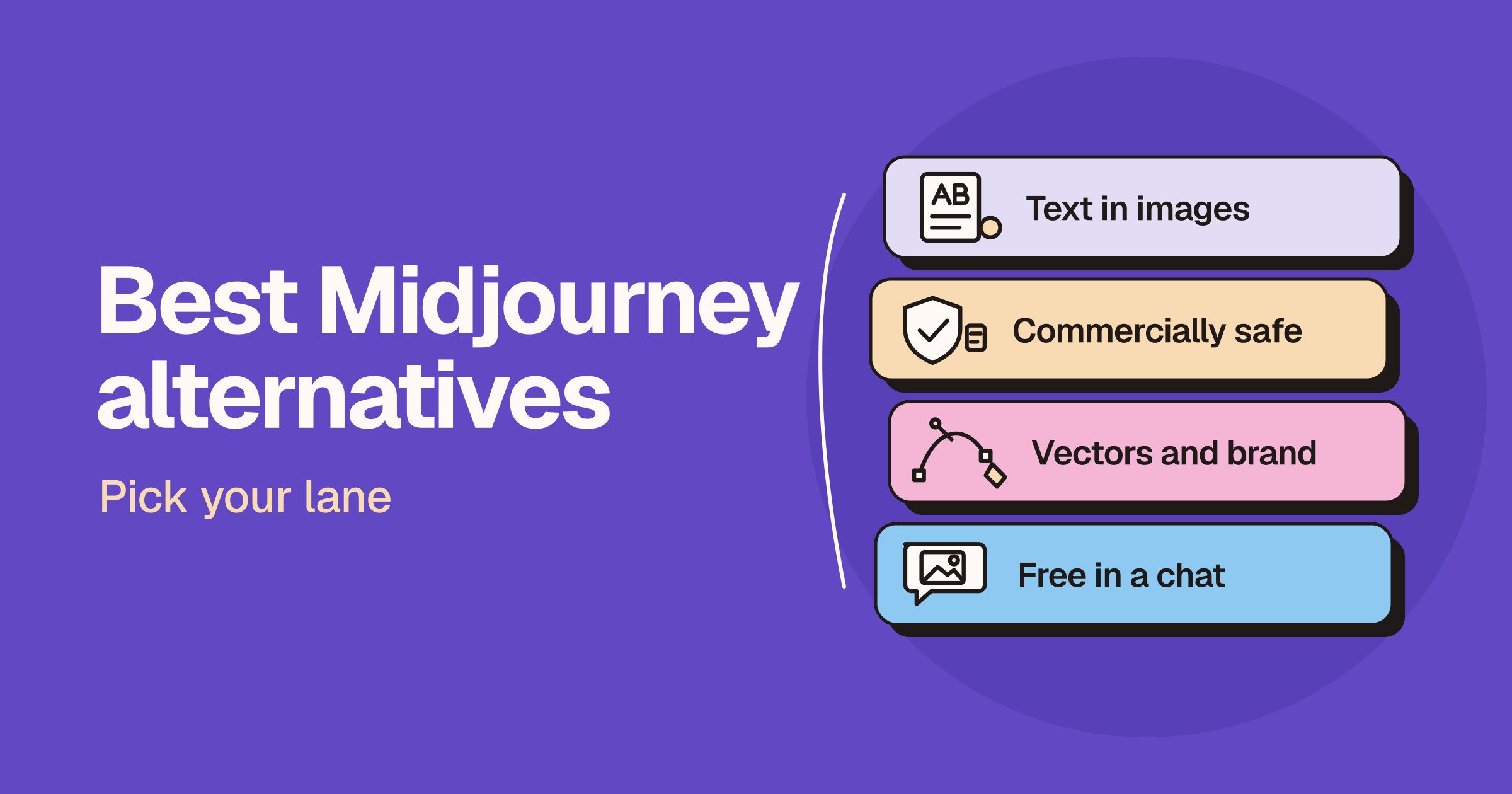
Short answer: the best Midjourney alternative depends on what you make. Pick Adobe Firefly if you need images that are safe for commercial use, Ideogram if your images need readable text, ChatGPT or Gemini if you want to create and edit images in a chat for free, Recraft for vectors and brand styles, Flux for an API or open weights, Krea for many models in one place, and Canva if the image is going straight into a design.
Sponsored
Your tool here: sponsor this list
Fixed $149/month on Brand visuals. A subscription, not Claim #1.
Pin this category · $149/moThis guide is for anyone who likes Midjourney but wants a free option, more control, better text, or a tool that fits their workflow. Midjourney’s own plans page says every plan is a paid subscription, and Stealth Mode, which keeps your images private, is only on its higher plans. Everything below comes from each company’s own website, linked in the text. We do not print prices, because plans, credits and offers change often, so check the live pricing pages before you pay.
Quick comparison
| Tool | Best for | Free option |
|---|---|---|
| Adobe Firefly | Commercially safe images inside Adobe apps | Free daily generations |
| Ideogram | Posters, logos and images with readable text | Weekly free credits, images are public |
| ChatGPT Images | Creating and editing images in a chat | Available on all ChatGPT tiers |
| Gemini (Nano Banana) | Photo edits, style transfer and resizing | Free, with the best model on paid plans |
| Flux | Developers who want an API or open weights | Browser playground to try it |
| Recraft | Vector graphics and consistent brand styles | Free plan, images are public and not for commercial use |
| Krea | Many image models, real-time generation and custom training | Free plan with a daily allowance |
| Canva | Dropping generated images straight into designs | Free to start, more on paid plans |
Adobe Firefly: for commercially safe images
Adobe’s Firefly page describes one studio for generating and editing images, video and audio, with free daily generations to start. Adobe says its Firefly models never train on what you create or upload, and that everything generated with Firefly models is safe for commercial use. Paid plans add monthly credits and access to models from Adobe, Google, OpenAI and others, and Firefly also powers features in Photoshop, Illustrator, Premiere and Adobe Express.
- Good for: designers and brands that already use Adobe apps, or anyone who wants clear commercial terms.
- Watch for: paid plans run on generative credits, so check how many credits the features you use cost.
Ideogram: for images with readable text
Ideogram’s features page leads with text rendering, from posters to packaging, plus character consistency, custom models trained on your own images, batch generation, editable text layers and upscaling. It also offers an MCP server for AI assistants, an API and a self-hosting licence. Its pricing page says eligible free accounts get weekly credits, but images made on the free plan are public, while paid plans keep new images private.
- Good for: logos, posters, social graphics, merchandise and anything where the words in the image must be right.
- Watch for: free images are public, and Ideogram says it does not offer free trials of its subscription plans.
ChatGPT Images: for creating and editing in a chat
OpenAI’s help centre says ChatGPT Images is available on all tiers, on web, iOS and Android. You describe an image in a conversation, upload a photo to edit, select part of an image to change, pick any aspect ratio, start from templates, save reference photos to reuse, and even create looping GIFs. Images with thinking is listed for Plus, Pro and Business.
- Good for: people who already use ChatGPT and want quick images, edits and text in images without learning a new tool.
- Watch for: generation can take a while on complex prompts, and limits depend on your plan.
Gemini (Nano Banana): for free photo edits
Google’s Gemini image page says its Nano Banana image model is available for free in the Gemini app, with Google’s most advanced image model on a Google AI plan. It can change the lighting or camera angle of a photo, apply the style of a reference image, combine photos, resize an image for different formats and add clear text in many languages. Google adds an invisible SynthID watermark and a visible watermark to show images are AI-generated.
- Good for: editing your own photos, quick creative experiments and people already in Google’s apps.
- Watch for: the visible watermark, and higher limits and the best model need a paid Google AI plan.
Flux: for developers and open weights
Black Forest Labs, the team behind Flux, says on its website that its models can be used three ways: through an API built for production workloads, as open weights you run and fine-tune on your own infrastructure under a licence, or in a browser playground with no code. Its latest model covers images, video and audio, and it highlights accurate text rendering and handling complex prompts. Flux models also appear inside other apps on this list, such as Krea.
- Good for: developers and product teams building image generation into their own apps.
- Watch for: it is a model company first, so non-technical users may prefer an app that offers Flux inside it.
Recraft: for vectors and brand styles
Recraft’s homepage pitches AI image models for designers, with editable vector generation, production-ready graphic design and custom styles you create by dropping in your own images. Its pricing page says images made on the Free plan are owned by Recraft, shown in its community gallery and not licensed for commercial use, while paid plans give you ownership and commercial rights for images made while you subscribe.
- Good for: icons, illustrations, logos and marketing graphics that need to stay on brand or scale as vectors.
- Watch for: do not use Free plan images for client or commercial work.
Krea: for many models in one place
Krea’s homepage brings its own models together with third-party ones such as Nano Banana, ChatGPT Images and Flux, plus video, upscaling, real-time generation and training on your own style. Its pricing page lists a Free plan with a daily allowance that refills each day and full access to its real-time models, and says paid plans include a commercial licence.
- Good for: creatives who want to compare models side by side, train a custom style, or sketch with real-time generation.
- Watch for: each model uses a different number of compute units, so check how far your plan goes with the models you use most.
Canva: for images that go straight into a design
Canva’s AI image generator turns a text prompt into an image inside the same editor you use for social posts, presentations and print. Canva says you can use the images for personal or commercial projects as long as you follow its AI Product Terms, but notes you may not have exclusive rights to them. Some extras, such as expanding an image with AI, are on Canva Pro.
- Good for: marketers and small businesses who want the image and the finished design in one tool.
- Watch for: it is a design tool first, so image quality and control are not its main focus.
Which should you choose?
- You want a free Midjourney alternative: start with Gemini or ChatGPT, then try the free plans of Firefly, Ideogram and Krea.
- You sell what you make: Adobe Firefly, or a paid plan on Ideogram, Recraft or Krea, and read each tool’s licence terms.
- You need words in the image: Ideogram first, then ChatGPT Images.
- You design logos, icons or brand graphics: Recraft for vectors and custom styles.
- You are building an app: Flux for its API and open weights, or Ideogram’s API.
- You make social posts and presentations: Canva, so the image lands straight in your design.
The quickest test is to run the same three prompts through two or three of these tools and compare the results. For head-to-head comparisons, read our Midjourney vs Ideogram, Midjourney vs Flux and Midjourney vs Adobe Firefly guides.
FAQ
What is the best free alternative to Midjourney?
Gemini and ChatGPT are the easiest free options, because image generation is built into their free tiers. Adobe Firefly, Ideogram, Recraft and Krea also have free plans with limits. Check each tool’s terms, because some free plans make your images public or do not allow commercial use.
Is there a free version of Midjourney?
Midjourney’s plans page says all its plans are paid subscriptions that renew monthly or yearly. If you want to try AI image generation without paying, start with one of the free options above.
Which AI image generator is best for text in images?
Ideogram is built around readable text in images, from posters to packaging, and lets you turn text in an image into editable layers. ChatGPT Images and Google’s Nano Banana in Gemini also say they handle text in images well.
Can I use AI generated images commercially?
It depends on the tool and the plan. Adobe says Firefly model outputs are safe for commercial use, and Krea and Recraft include commercial rights on paid plans. Recraft’s Free plan images are not licensed for commercial use. Always read the current terms before you sell or publish.
Which Midjourney alternative is best for developers?
Flux from Black Forest Labs offers an API and open weights you can run on your own infrastructure. Ideogram also has an API and a self-hosting licence for one of its models.
Submit a tool if it belongs on the board. Listings are reviewed before they go live.
Share your learnings on socials
Other resources
View all
Gemini 4 Neon: what's new and who can use it
Google announced Gemini 4 Neon on November 18, 2026: a model that sits between Carbon and Hydrogen for complex coding and analysis at lower cost. Here's what's new, who can use it in the Gemini app, API, Antigravity, Cursor and Copilot, and what it costs.
Buffer vs Hootsuite: which social media tool should you use?
Pick Buffer for simple, low-cost scheduling with a free plan, ideal for creators and small teams. Pick Hootsuite for a full team suite with a shared inbox, social listening, competitor tracking and approvals, priced per user.
GPT-6.2 Astra and Sol: what's new and who can use it
OpenAI announced GPT-6.2 Astra and GPT-6.2 Sol on November 17, 2026: a new top model for hard projects and a cheaper everyday model. Here's what's new, who can use it in ChatGPT Work, Codex, the API and GitHub Copilot, what it costs and how it compares.