

The best AI marketing tools, picked by marketing job
17 min read
Last updated 21 October 2026. How we pick: we compare the job each tool is for, from public product pages, not a paid ranking.
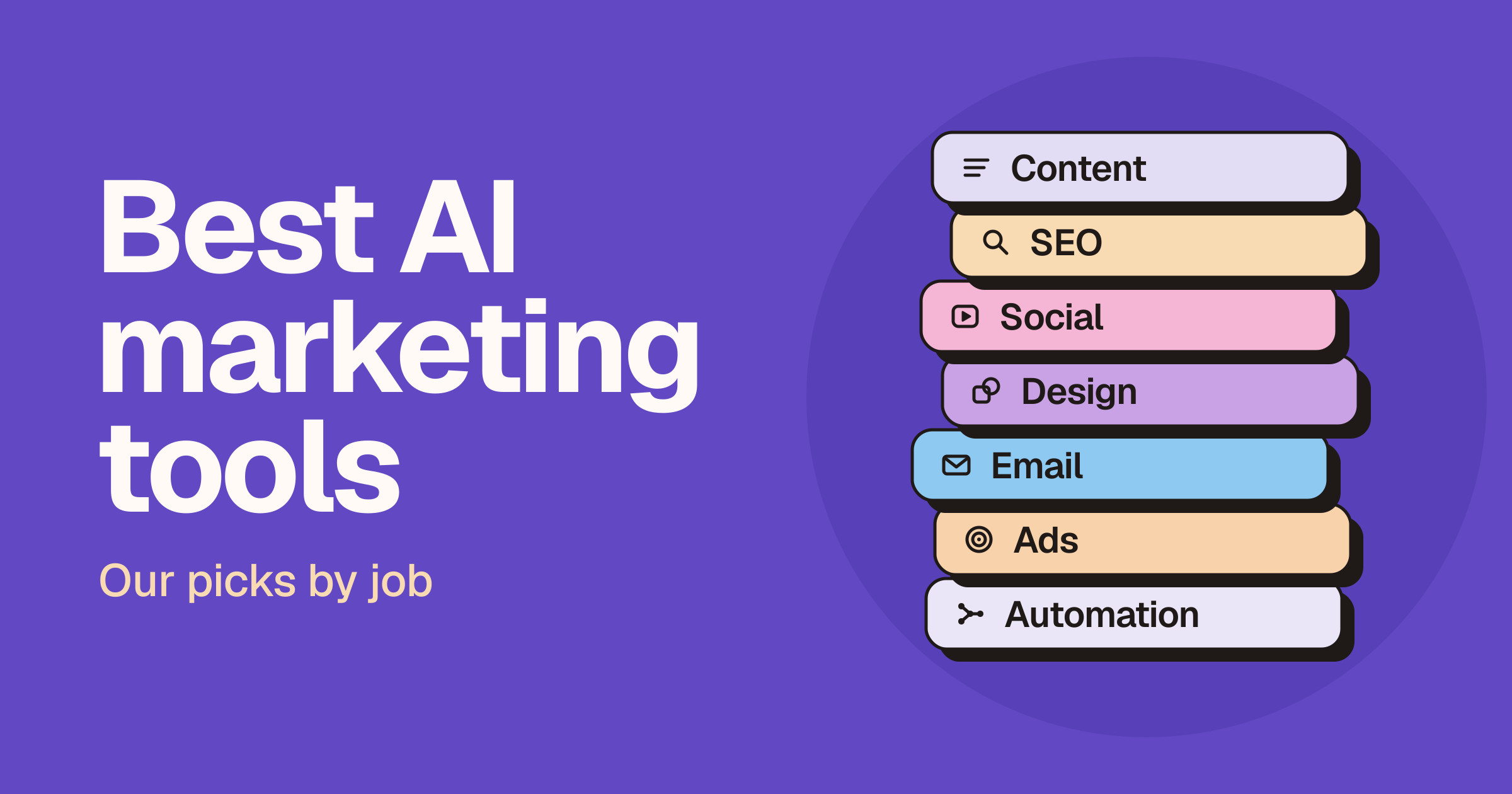
There is no single best AI marketing tool. The right one depends on the job: drafting copy, researching a market, editing short-form video, sending email or wiring the stack together. This guide is for studios, startups and small marketing teams who want a shortlist they can act on this week. We group tools by marketing job, give each a "best for" and "not ideal" line, and link to our head-to-heads when you need to choose between two. It replaces our older seven-tool roundup.
Sponsored
Headwaze · $149/mo subscription · since 7 Oct 2026
Quick answer: the best AI marketing tools by job
- Best all-round marketing assistant: ChatGPT, because it handles briefs, drafts, ad variants and analysis in one seat.
- Best for long-form copy in your voice: Claude, because it excels at careful writing, editing and long documents.
- Best for brand-governed content at team scale: Jasper, because brand voice and marketing agents are the core product.
- Best for cited research: Perplexity, because every answer comes with inline citations you can check.
- Best for SEO research and AI search visibility: Ahrefs, because it pairs keyword and backlink data with AI-answer tracking.
- Best for on-brand visuals without a designer: Canva, because templates, brand kits and AI tools share one editor.
- Best for short-form social video: CapCut, because templates, auto captions and long-to-short tools suit Reels and Shorts.
- Best for podcast and webinar repurposing: Descript, because you edit audio and video by editing a transcript.
- Best email tool for small teams: Mailchimp, because it starts free for small lists and adds AI and automation as you grow.
- Best all-in-one CRM plus marketing: HubSpot, because CRM, email, ads and AI agents share one database.
- Best for no-code automation: Zapier, because it connects thousands of apps without engineering.
How we picked these tools
We judged each tool on the job it does, output quality for marketing work, its free plan and tier structure (named, never priced), integrations, review and approval controls, and its data and privacy terms.
A quick definition: machine learning finds patterns to make predictions, such as lead scoring or send-time optimisation, while generative AI creates new text, images, audio or video. Most AI marketing software now does both.
General assistants (ChatGPT, Claude, Gemini) are the base layer; specialists sit on top. The list favours tools Unloc has listed and reviewed. Browse the full directory on /tools.
AI tools for content and copy
ChatGPT
OpenAI's assistant covers briefs, drafts, ad variants, image creation, deep research and data analysis, with projects and custom GPTs for repeat work.
- Best for: any marketer's default seat.
- Not ideal for: final copy without a fact-check.
- Plans: Free, Go, Plus, Pro, Business and Enterprise. Live pricing.
- On Unloc: ChatGPT · Compare: ChatGPT vs Jasper, ChatGPT vs Gemini
Claude
Anthropic's assistant is strong at long-form writing and editing that sounds human, plus document analysis, web search and app connectors.
- Best for: content leads and copywriters on long pieces.
- Not ideal for: teams already standardised on another assistant.
- Plans: Free, Pro, Max, Team and Enterprise. Live pricing.
- On Unloc: Claude · Compare: Claude vs ChatGPT, Claude vs Gemini
Jasper
Jasper is AI built for marketing: Brand Voice, style guides, marketing agents and a GEO (AI search optimisation) module.
- Best for: content teams with many writers who must stay on-brand.
- Not ideal for: a solo marketer who only needs a general assistant.
- Plans: Pro and Business, with a free trial. Live pricing.
- On Unloc: Jasper · Compare: ChatGPT vs Jasper
Grammarly
Grammarly checks clarity, tone and correctness wherever you write, with rewrites, AI prompts, plagiarism and AI-text detection, and team style guides.
- Best for: everyone who publishes.
- Not ideal for: generating whole campaigns; it is an editor first.
- Plans: Free, Pro and Enterprise (Enterprise is offered through Superhuman Go, per Grammarly's plans page). Live pricing.
- On Unloc: Grammarly
AI tools for SEO and research
Ahrefs
Ahrefs calls itself an AI marketing platform built on its own web index. Alongside Site Explorer, Keywords Explorer and Site Audit, Brand Radar tracks brands in AI answers.
- Best for: SEO and content marketers who live in competitor and content-gap data.
- Not ideal for: teams that only need occasional keyword ideas.
- Plans: Lite, Standard, Advanced and Enterprise. Live pricing.
- On Unloc: Ahrefs · Compare: Ahrefs vs Moz
Semrush
Semrush pitches brand visibility across SEO and AI search. Semrush One pairs keyword, competitor, rank and backlink research with AI Visibility and prompt research; separate toolkits cover local, social and market data.
- Best for: marketers who want SEO, AI visibility and market research under one login.
- Not ideal for: teams already paying for Ahrefs; most need one, not both.
- Plans: Semrush One and toolkit plans (SEO: Starter, Pro+ and Advanced), plus Enterprise, with a free trial. Live pricing.
- On Unloc: Semrush
Perplexity
Perplexity is an answer engine that cites its sources inline, with deep research, model selection and higher limits on paid plans.
- Best for: sourced competitor and market research.
- Not ideal for: long-form drafting in a brand voice.
- Plans: Free, Pro and Max, plus Enterprise Pro and Enterprise Max. Live pricing.
- On Unloc: Perplexity · Compare: Perplexity vs ChatGPT, Claude vs Perplexity
Gemini
Google's assistant includes Deep Research, Canvas and image and video generation, and runs inside Gmail and Workspace on business plans.
- Best for: teams that already live in Google Workspace.
- Not ideal for: teams on Microsoft 365.
- Plans: Free, Google AI Plus, Google AI Pro and Google AI Ultra for individuals; business access comes through Workspace plans. Live pricing.
- On Unloc: Gemini · Compare: ChatGPT vs Gemini
AI search visibility is now part of SEO. Buyers ask assistants, not just search engines, for recommendations. Ahrefs Brand Radar, Semrush AI Visibility, Jasper's GEO module and Plausible's AI-referral reports show whether your brand is cited. Treat it as a new report, not a replacement for clear, quotable pages.
AI tools for social and video
CapCut
CapCut is an AI video editor for desktop, mobile and web, with templates, auto captions, AI voices and a long-video-to-shorts tool.
- Best for: weekly TikTok, Reels and Shorts output.
- Not ideal for: long-form podcast editing.
- Plans: Free, Pro, Ultra and Teams. Live pricing.
- On Unloc: CapCut · Compare: Descript vs CapCut
Descript
Descript edits video and audio like a document. Its AI co-editor, Underlord, removes filler words, creates clips and writes show notes.
- Best for: turning podcasts, webinars and demos into clips and posts.
- Not ideal for: effects-heavy short-form edits.
- Plans: Free, Hobbyist, Creator, Business and Enterprise. Live pricing.
- On Unloc: Descript · Compare: Riverside vs Descript
Synthesia
Synthesia makes avatar-led videos without filming, with stock and personal avatars, dubbing, templates and PowerPoint import.
- Best for: explainers, product walk-throughs and localised videos.
- Not ideal for: authentic founder-on-camera content.
- Plans: Basic (free), Starter, Pro and Enterprise. Live pricing.
- On Unloc: Synthesia · Compare: HeyGen vs Synthesia
ElevenLabs
ElevenLabs generates lifelike voiceovers, sound effects and music, with voice cloning and a dubbing studio.
- Best for: ad and video voiceovers, and localising audio.
- Not ideal for: video editing itself; pair it with an editor.
- Plans: Free, Starter, Creator, Pro, Scale, Business and Enterprise. Live pricing.
- On Unloc: ElevenLabs · Compare: ElevenLabs vs Murf
Buffer
Buffer schedules posts across the major social networks, with an AI Assistant for repurposing posts, AI reply suggestions and analytics.
- Best for: small teams running several social channels.
- Not ideal for: enterprise social listening.
- Plans: Free, Essentials and Team. Live pricing.
- On Unloc: Buffer
Also worth a look for brand and campaign video: Runway for AI video generation (see Runway vs Kling) and HeyGen for personal avatar videos.
AI tools for design and visuals
Canva
Canva puts templates, brand kits and Canva AI tools for design, writing and brand into one editor.
- Best for: social managers and small teams producing on-brand graphics fast.
- Not ideal for: product UI design or pixel-perfect brand systems.
- Plans: Free, Pro, Business and Enterprise. Live pricing.
- On Unloc: Canva · Compare: Canva vs Figma, Canva vs Photoshop
Adobe Firefly
Firefly generates and edits images, video, audio and vectors with Adobe and partner models. Adobe says its own models are trained on licensed and public-domain content.
- Best for: teams already on Creative Cloud.
- Not ideal for: teams with no Adobe footprint.
- Plans: a free plan with daily generations, plus paid Firefly plans (Standard, Pro and Premium). Live pricing.
- On Unloc: Adobe Firefly · Compare: Midjourney vs Adobe Firefly
Ideogram
Ideogram is an image platform known for readable type inside images, with editing apps, an API and MCP access for agent workflows.
- Best for: posters and ad concepts where the words must render cleanly.
- Not ideal for: layout-heavy design work; finish in Canva or Figma.
- Plans: Plus, Pro, Team, Enterprise and pay-as-you-go; free accounts get limited credits. Live pricing.
- On Unloc: Ideogram · Compare: Midjourney vs Ideogram
For decks, Gamma is a fast AI presentation tool (see Gamma vs Beautiful.ai). For more design picks, see six AI tools for designers.
AI tools for email and CRM
HubSpot
HubSpot combines a CRM with Marketing Hub: email, forms, ads management, automation and Breeze AI agents.
- Best for: teams that want one platform for marketing, sales and service.
- Not ideal for: a team that only needs a newsletter tool.
- Plans: Free tools, Starter, Professional and Enterprise. Live pricing.
- On Unloc: HubSpot · Compare: Mailchimp vs HubSpot, HubSpot vs Brevo
Mailchimp
Mailchimp is email and SMS marketing with templates, segmentation, automation flows and generative AI features on its higher plans.
- Best for: small businesses whose main channel is email.
- Not ideal for: complex B2B sales pipelines.
- Plans: Free, Essentials, Standard and Premium, plus pay-as-you-go credits. Live pricing.
- On Unloc: Mailchimp · Compare: Mailchimp vs HubSpot
Klaviyo
Klaviyo calls itself an AI marketing platform and B2C CRM. It runs email, SMS and WhatsApp from your store data, with segmentation and K:AI agents such as Composer, which builds flows and campaigns from a prompt.
- Best for: ecommerce brands running email and SMS on Shopify, WooCommerce or similar.
- Not ideal for: B2B teams without an online store.
- Plans: a Free plan, then paid plans built from products (Marketing, Data + Analytics, Service, AI agents), plus Enterprise. Live pricing.
- On Unloc: Klaviyo
Attio
Attio is a flexible CRM built for revenue teams, with automatic enrichment, workflows and Ask Attio AI.
- Best for: startups and studios who want a CRM shaped around their own data model.
- Not ideal for: teams that want email marketing in the same tool.
- Plans: Free, Plus, Pro and Enterprise. Live pricing.
- On Unloc: Attio · Compare: Attio vs HubSpot
For outbound research, Clay and Apollo cover enrichment and prospecting (see Clay vs Apollo).
AI tools for ads and analytics
Start with the AI already inside your ad platforms; most ship automated bidding and creative suggestions. HubSpot Starter and up includes ad management. For creative variations, pair Canva or Ideogram with your copy assistant, then measure properly.
PostHog
PostHog bundles product and web analytics, session replay, feature flags, experiments and surveys, with a free monthly allowance on every product.
- Best for: startups tracking what visitors do after the click.
- Not ideal for: marketers who want a one-page traffic report.
- Plans: Free, then pay-as-you-go with optional add-ons. Live pricing.
- On Unloc: PostHog
Plausible
Plausible is lightweight, cookie-free web analytics with campaign tracking, Search Console data and reports on traffic from AI tools such as ChatGPT and Perplexity.
- Best for: privacy-conscious teams who want clear campaign and AI-referral numbers.
- Not ideal for: deep product analytics.
- Plans: Starter, Growth, Business and Enterprise, with a free trial. Live pricing.
- On Unloc: Plausible
AI tools for marketing automation and operations
Zapier
Zapier connects thousands of apps through no-code workflows, with AI steps and agents on the same platform.
- Best for: marketing ops and founders who want automations live today.
- Not ideal for: long, chatty workflows where per-task usage adds up.
- Plans: Free, Professional, Team and Enterprise. Live pricing.
- On Unloc: Zapier · Compare: Zapier vs Make, Zapier vs n8n
Make
Make builds visual, multi-step scenarios with branching.
- Best for: complex workflows without code.
- Not ideal for: absolute beginners who want one trigger and one action.
- Plans: Free, Core, Pro, Teams and Enterprise. Live pricing.
- On Unloc: Make · Compare: n8n vs Make
n8n
n8n is workflow automation for technical teams, with AI agent nodes, code nodes and cloud or self-hosting.
- Best for: ops-minded teams who need code, AI agents or data residency.
- Not ideal for: non-technical teams with no one to own it.
- Plans: Cloud Starter, Pro, Business and Enterprise, plus a self-hosted Community edition. Live pricing.
- On Unloc: n8n · Compare: Zapier vs n8n
AI marketing tools compared
Free plan or trial status reflects each vendor's site when we checked. Tier names only; follow the link for live pricing.
| Tool | Marketing job | Best for | Free plan or trial? | Plan tiers (names only) | Unloc link | Deep-dive comparison |
|---|---|---|---|---|---|---|
| ChatGPT | Content and copy | All-round assistant | Free plan | Free / Go / Plus / Pro / Business / Enterprise | Card | vs Jasper |
| Claude | Content and copy | Long-form writing | Free plan | Free / Pro / Max / Team / Enterprise | Card | vs ChatGPT |
| Jasper | Content and copy | Brand voice at scale | Trial | Pro / Business | Card | vs ChatGPT |
| Grammarly | Content and copy | Editing and tone | Free plan | Free / Pro / Enterprise | Card | — |
| Ahrefs | SEO and research | SEO and AI visibility | No free plan listed | Lite / Standard / Advanced / Enterprise | Card | vs Moz |
| Semrush | SEO and research | SEO and AI visibility suite | Free trial | Semrush One / Starter / Pro+ / Advanced / Enterprise | Card | — |
| Perplexity | SEO and research | Cited research | Free plan | Free / Pro / Max / Enterprise | Card | vs ChatGPT |
| Gemini | SEO and research | Google Workspace teams | Free plan | Free / AI Plus / AI Pro / AI Ultra | Card | vs ChatGPT |
| CapCut | Social and video | Short-form social video | Free plan | Free / Pro / Ultra / Teams | Card | vs Descript |
| Descript | Social and video | Repurposing long-form | Free plan | Free / Hobbyist / Creator / Business / Enterprise | Card | vs Riverside |
| Synthesia | Social and video | Avatar explainers | Free plan | Basic / Starter / Pro / Enterprise | Card | vs HeyGen |
| ElevenLabs | Social and video | Voiceovers and dubbing | Free plan | Free / Starter / Creator / Pro / Scale / Business / Enterprise | Card | vs Murf |
| Buffer | Social and video | Social scheduling | Free plan | Free / Essentials / Team | Card | — |
| Canva | Design | On-brand visuals | Free plan | Free / Pro / Business / Enterprise | Card | vs Figma |
| Adobe Firefly | Design | Creative Cloud teams | Free plan | Free / Standard / Pro / Premium | Card | vs Midjourney |
| Ideogram | Design | Text inside images | Free account | Plus / Pro / Team / Enterprise | Card | vs Midjourney |
| HubSpot | Email and CRM | All-in-one platform | Free tools | Free / Starter / Professional / Enterprise | Card | vs Mailchimp |
| Mailchimp | Email and CRM | Small-business email | Free plan | Free / Essentials / Standard / Premium | Card | vs HubSpot |
| Klaviyo | Email and CRM | Ecommerce email and SMS | Free plan | Free / product-based paid plans / Enterprise | Card | — |
| Attio | Email and CRM | Flexible CRM | Free plan | Free / Plus / Pro / Enterprise | Card | vs HubSpot |
| PostHog | Ads and analytics | Product and web analytics | Free tier | Free / Pay-as-you-go | Card | — |
| Plausible | Ads and analytics | Privacy-first web analytics | Trial | Starter / Growth / Business / Enterprise | Card | — |
| Zapier | Automation | No-code automation | Free plan | Free / Professional / Team / Enterprise | Card | vs Make |
| Make | Automation | Visual multi-step workflows | Free plan | Free / Core / Pro / Teams / Enterprise | Card | vs n8n |
| n8n | Automation | Code, agents, self-hosting | Trial; free self-host | Starter / Pro / Business / Enterprise | Card | vs Zapier |
How to build your AI marketing stack
The starter stack
Most small teams need four tools: one general assistant (ChatGPT, Claude or Gemini), one design tool (Canva), the AI built into your email platform or CRM (Mailchimp, Klaviyo or HubSpot), and one automation tool (Zapier or Make). Add analytics you trust, such as Plausible, and you can run most campaigns end to end.
Add specialists only for the bottleneck
| If your bottleneck is… | Add… |
|---|---|
| Sourcing claims and competitor research | Perplexity |
| Organic search and AI visibility | Ahrefs or Semrush |
| Keeping many writers on-brand | Jasper |
| Short-form video volume | CapCut |
| Repurposing podcasts and webinars | Descript |
| Video without filming | Synthesia |
| Voiceovers and localisation | ElevenLabs |
| Posting consistently across channels | Buffer |
| Ecommerce email and SMS | Klaviyo |
| Workflows with code, agents or data residency | n8n |
If you cannot name the bottleneck, you do not need the specialist yet.
A campaign example
Launching a new service page? Draft angles in Claude or ChatGPT, check competitor claims in Perplexity, and shape the page with Ahrefs or Semrush keyword data. Build graphics in Canva, cut a launch clip in CapCut with an ElevenLabs voiceover, and schedule posts in Buffer. Send the announcement from your email tool, let Zapier route new leads to your CRM, and read results in Plausible or PostHog.
Guardrails
- Human review before publishing. Someone checks facts, claims and legal lines.
- Brand voice. Store voice and style rules once (Jasper Brand Voice, Grammarly style guides, Canva brand kits), not in every prompt.
- Data and training terms. Check on the vendor's privacy page whether it trains on your inputs, and which tier turns that off.
FAQ
What is the best AI tool for marketing?
There is no single best AI tool for marketing; the best one depends on the job you need done. For most teams, a general assistant such as ChatGPT or Claude is the best starting point, with specialists added for jobs like SEO (Ahrefs or Semrush) and email (Mailchimp or Klaviyo).
What are AI marketing tools, and how is AI used in marketing?
AI marketing tools are software that uses machine learning or generative AI to create, personalise, analyse or automate marketing work. Marketers use them to draft content, generate images and video, segment audiences, personalise emails, analyse campaign results and automate repetitive workflows.
Can ChatGPT be used for marketing?
Yes, ChatGPT can be used for marketing tasks such as writing briefs, drafting copy, generating ad variants and analysing data. Its answers can be wrong or out of date, so check every factual claim before publishing, and pair it with Perplexity when you need citations.
What are the best free AI marketing tools?
Many strong AI marketing tools have a free plan, including ChatGPT, Claude, Gemini, Perplexity, Canva, CapCut, Descript, Buffer, Mailchimp, Klaviyo and Zapier. Free-plan limits change often, so check each tool's live pricing page before relying on one.
What AI marketing tools should a small business start with?
A small business should start with one general AI assistant, one design tool, the AI built into its email platform, and one automation tool. A practical starter stack is ChatGPT or Claude, Canva, Mailchimp (or Klaviyo if you sell online) and Zapier.
Which AI tools are best for marketing operations and automation?
Zapier, Make and n8n are the leading AI tools for marketing operations and automation. Zapier is the easiest no-code option, Make suits complex visual workflows, and n8n suits technical teams who want code, AI agents or self-hosting. Compare them in our Zapier vs Make and Zapier vs n8n guides.
Are there AI tools for advertising and campaigns?
Yes, and the first AI tools for advertising and campaigns to use are usually built into the ad platforms you already pay for. Add Canva or Ideogram for creative variations, a copy assistant for ad text, and Plausible or PostHog to measure results.
Will AI replace marketers?
AI is unlikely to replace marketers who use it well; it changes where their time goes. It speeds up drafting, research and reporting, but strategy, judgement and final approval still need people.
How we tested and keep this updated
Last updated: 21 October 2026 (Asia/Dubai).
Method: we grouped tools by marketing job and checked each vendor's own product and pricing pages for names, positioning, key features, tier names and free-plan or trial status. We deliberately list tier names, not prices, because prices change often; check the live pricing page.
Independence: organic listings on Unloc are not ranked by who paid, and this piece does not use affiliate links. Submit a tool if it belongs on the board; listings are reviewed before they go live.
References
Vendor pages checked for this guide:
- ChatGPT plans and pricing: https://chatgpt.com/pricing
- Claude plans and pricing: https://claude.com/pricing
- Jasper plans and pricing: https://www.jasper.ai/pricing
- Grammarly plans: https://www.grammarly.com/plans
- Ahrefs plans and pricing: https://ahrefs.com/pricing
- Ahrefs Brand Radar: https://ahrefs.com/brand-radar
- Semrush: https://www.semrush.com/
- Semrush plans and pricing: https://www.semrush.com/prices/
- Perplexity pricing: https://www.perplexity.ai/hub/pricing
- Google Gemini subscriptions: https://gemini.google/subscriptions/
- Google Workspace pricing: https://workspace.google.com/pricing
- CapCut pricing: https://www.capcut.com/pricing
- Descript pricing: https://www.descript.com/pricing
- Synthesia pricing: https://www.synthesia.io/pricing
- ElevenLabs pricing: https://elevenlabs.io/pricing
- Buffer pricing: https://buffer.com/pricing
- Canva pricing: https://www.canva.com/pricing/
- Canva AI: https://www.canva.com/ai-assistant/
- Adobe Firefly overview: https://www.adobe.com/products/firefly.html
- Adobe Firefly plans: https://www.adobe.com/products/firefly/plans.html
- Adobe generative credits FAQ: https://helpx.adobe.com/creative-cloud/apps/generative-ai/generative-credits-faq.html
- Ideogram: https://ideogram.ai/
- Ideogram pricing: https://ideogram.ai/pricing
- HubSpot Marketing Hub pricing: https://www.hubspot.com/pricing/marketing
- HubSpot AI agents and credits: https://www.hubspot.com/products/artificial-intelligence/ai-agents
- Mailchimp pricing: https://mailchimp.com/pricing/marketing/
- Klaviyo: https://www.klaviyo.com/
- Klaviyo pricing: https://www.klaviyo.com/pricing
- Attio pricing: https://attio.com/pricing
- PostHog pricing: https://posthog.com/pricing
- Plausible Analytics: https://plausible.io/
- Zapier pricing: https://zapier.com/pricing
- Make pricing: https://www.make.com/en/pricing
- n8n pricing: https://n8n.io/pricing/
Submit a tool if it belongs on the board. Listings are reviewed before they go live.
Share your learnings on socials
Other resources
View all
v0 vs Bolt: which AI app builder should you use?
Pick v0 for Next.js apps that ship through GitHub pull requests and Vercel. Pick Bolt for an all-in-one browser builder with a built-in database, hosting and native mobile apps.
Lovable vs Replit: which AI app builder should you use?
Pick Lovable for fast, polished web apps with a built-in backend and GitHub sync. Pick Replit for native mobile apps, parallel Agent work and a full cloud coding workspace.
Grok vs Gemini: which AI assistant should you use?
Pick Grok for live answers from the web and X, plus images and video in the same chat. Pick Gemini when your work lives in Gmail, Docs and Drive, or you want Deep Research reports.