Typeform vs SurveyMonkey - Which Questionnaire Platform is Best?
7 min read
Last updated June 10, 2022. How we pick: we compare the job each tool is for, from public product pages, not a paid ranking.

Many modern businesses have made digital forms part of their routine activity. Forms and questionnaires are a fantastic tool to source information and share data.
The main purpose of a questionnaire or observation form is to extract data from the respondents in a relatively inexpensive, quick, and efficient way - particularly helpful when the researcher isn't present to collect the responses first hand, or the respondents are pressed for time.
In this Typeform vs SurveyMonkey review, we will reveal the key features and downfalls of each application so you can decide which it is you should depend on.
Sponsored
Headwaze · $149/mo subscription · since 7 Oct 2026
An Introduction to Typeform 👀
Typeform is a web based platform you can use to create anything from customer surveys to lead generation forms. It makes collecting and sharing information comfortable and conversational.
“Create forms, surveys, and quizzes that people enjoy answering.” - Typeform
Typeform is one of the most widely used digital form tools across an abundance of industries, but it is important to work out if it is the right tool for your business, so let’s dive in.
Say Hello to SurveyMonkey 👋
SurveyMonkey is essentially a cloud-based survey tool that enables users to create, send and analyse surveys and responses.
SurveyMonkey has been around far longer than Typeform, which is justified by its 17 million active users.

The platform was initially created to allow users to easily create surveys, quizzes and polls for any audience, and over time it has evolved into a fantastic tool for small businesses to gather respondents' feedback and analyse the results using the insights to make better, data-driven decisions.
Typeform survey types
- Customer satisfaction
- Customer loyalty
- Job satisfaction
- Market research
- Opinion polls
- Concept testing
- Order forms
- Feedback forms
- Employee satisfaction
- Application forms
- Feedback surveys
- Evaluation forms
- Signup forms
- Marketing surveys
- HR surveys
- Registration form
- Lead generation
- Contact form
- Quizzes
SurveyMonkey survey types
- Customer satisfaction
- Market research
- Net Promoter Score℠
- Online research
- Employee satisfaction
- Marketing surveys
- Meeting surveys
- Event planning
- Student surveys, teacher surveys, school surveys
- Concept testing
- Customer satisfaction
- Employee engagement
- Employee satisfaction
- Evaluation surveys
- Feedback forms
- Onboarding and registration
- Performance reviews
Top features of Typefrom and SurveyMonkey
An array of features make both Typeform and SurveyMonkey a dream to interact with for the end user. Let’s take a look at 5 areas of comparison:
1. Logic jump
Amend the customer journey based on their answers; an if-when scenario.
If the respondent answers ‘cat’ in the example below, they’re taken to Q2 group; if the respondent answers ‘dog’ they jump to the Q3 group.
This functionality is particularly useful in lead generation to qualify potential customers before hopping on a call.

Similar to Typeform, SurveyMonkey has Skip Logic. This lets you skip respondents to a specific question on a later page based on their answer to a previous closed-ended question.
It’s great to dig deeper with regard to specific answers or request further information based on previous responses.

2. Real-time results and data export options
We’ll touch on this in the integrations section below but both platforms allow owners to export data for analysis purposes. This can be in the form of an excel spreadsheet or could directly import into a CRM if it’s part of Typeforms integration suite.
Typeform has worked so hard on making the aesthetic design of the surveys look great, and the ease of use of the platform to create and fill out the surveys, but the process of getting the data out of Typeform can be a little more complicated than SurveyMonkey.
Typeform largely requires data to be exported to another platform for any indepth analysis. It does offer extremely useful insights into response times and drop-off rates but for more detailed analysis, you’ll need to link an integration.
Where data is available in the platform, you’ll not be disappointed by the attractive, easy to use charts, formatted in such a way that you can screen grab the report and easily copy and paste it into a presentation deck to present in an analysis meeting.

SurveyMonkey has more detailed analysis available directly from the platform. It has visually stunning and easy to digest reports and charts readily available.
The analysis tools in SurveyMonkey help you collect, share, and act on survey data to drive growth in your organisation.
- Explore your automatic charts and graphs to help you understand the data.
- Customise survey charts types and tables with colours and labels.
- Generate a word cloud with frequently used words in your open-ended responses.
- Design a customizable dashboard to present your survey results visually.
- Share results in any popular format such CSV, XLS, PDF, or PPT.

3. Collaboration and teams
Both Typeform and SurveyMonkey allow teams to collaborate, but in slightly different ways.
With SurveyMonkey, there are finer controls over survey editing, collectors, and viewing the results. These are the forms of roles: design, collect reponses or analyse.
SurveyMonkey provides a handful of collaborative features that allows multiple survey creators to build surveys together in half the time it would take for one person alone to do. The platform enables users to: create and edit surveys as a team, track survey reports and interpret data together, and also integrate surveys and results with other third-party tools, ensuring a seamless experience all around for both the client and the respondents.
In contrast, Typeform simply has Owners and Managers. Owners have ultimate account permissions like billing and subscriptions and Managers can create, edit and analyse forms.
Both platforms allow teams to have access to themes so they can ensure consistency in templates, logos, or other assets.
4. Templates ad customisation
Get started quickly and easily by using popular templates for lead capture, registration, feedback, orders, research and so much more. It can be overwhelming to try and list out all the questions to include in a survey, so having a tried and tested starting point can be handy.
The platform has an extensive library of survey templates for users to implement in their own research quickly and effectively. There is a great selection of templates that are available with a free Typeform account.
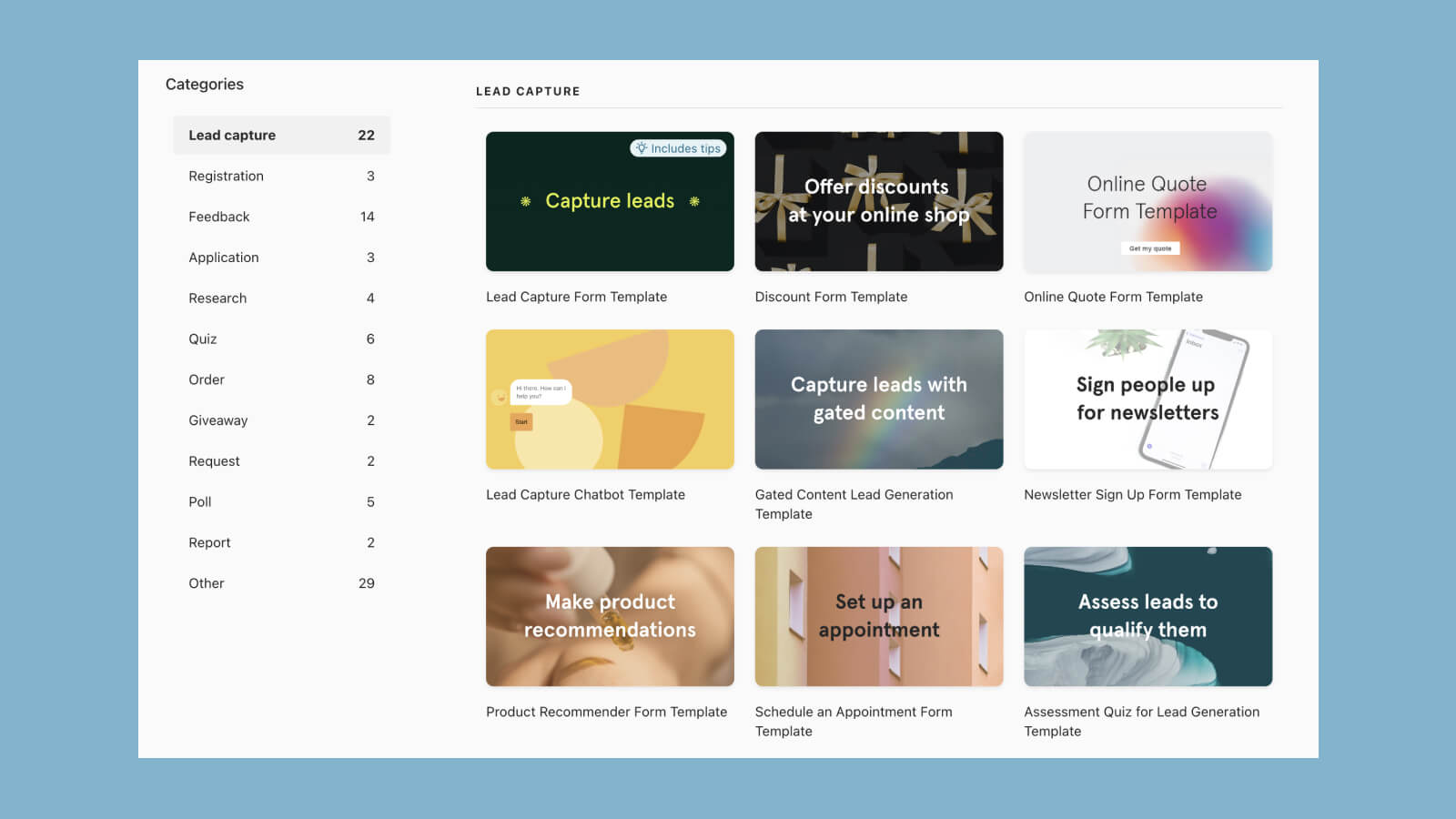
Similarly, SurveyMonkey has a suite of readily-available, expert-written surveys that save time and help get higher-quality responses by allowing businesses to get started quickly and easily, customising pre-made templates by changing questions, adding branding and sharing them with team members.
In addition to offering a wide range of survey templates, SurveyMonkey also provides sample questions, depending on the type of survey you want to conduct.
They’re also a great way to find inspiration so you can start to build surveys from scratch.
5. Design and branding
Typeform allows businesses to create on-brand questionnaires by customising layout, fonts, colours, button styles and more so that the journey from your website, social media platform or email marketing tool feels seamless.
Having a focus on aesthetics and design has really paid off for the platform, the extra attention to detail on a lot of the features within Typeform has created a sense of professionalism with a twist. Users can make use of the survey templates knowing that they will come across as knowledgeable professionals, but also ensures the respondents know that the brand knows how to stay relevant and ‘edgy’.
SurveyMonkey also has this functionality, meaning its possible to customise survey templates with themes, logos and brand colours. It looks a little less flexible than Typeform, but still, it’s possible to make a survey feel part of your brand. Those using SurveyMonkey can edit the actual HTML of the form, giving them full control to match the survey to their brand.
Both platforms, dependent on the pricing tier you choose, allow for complete white-labeling, meaning there’s no need to disclose your secret tool to respondents!
Submit a tool if it belongs on the board. Listings are reviewed before they go live.
Share your learnings on socials